How to Download Synced Lyrics (LRC Files) for Any Song
Looking for synced lyrics for your music library? This guide covers three ways to get LRC files—from searching Google, to using a dedicated download tool, to generating your own with AI.

 Westin Tanley
Feb 3, 2026 · 6 min
Westin Tanley
Feb 3, 2026 · 6 min
Why download synced lyrics
Most music players like AIMP, foobar2000, MusicBee, and Poweramp support LRC files for displaying synchronized lyrics as a song plays. However, they don't generate these files for you—you need to find or create them yourself.
Synced lyrics let you sing along with accurate timing instead of guessing the words. They're essential for building a karaoke collection, helpful for language learning by reading lyrics in real-time as the song plays, and improve accessibility for listeners who are hard of hearing.
Below are three ways to get LRC files for your music library.
Search Google with filetype:lrc
The quickest way to find an existing LRC file is to search Google using the filetype: operator. This tells Google to only return results that link directly to .lrc files.
For example, to find the LRC file for "We Will Rock You" by Queen, search:
we will rock you filetype:lrc
Google will return direct download links to .lrc files hosted on various websites. Click a result to download the file directly.
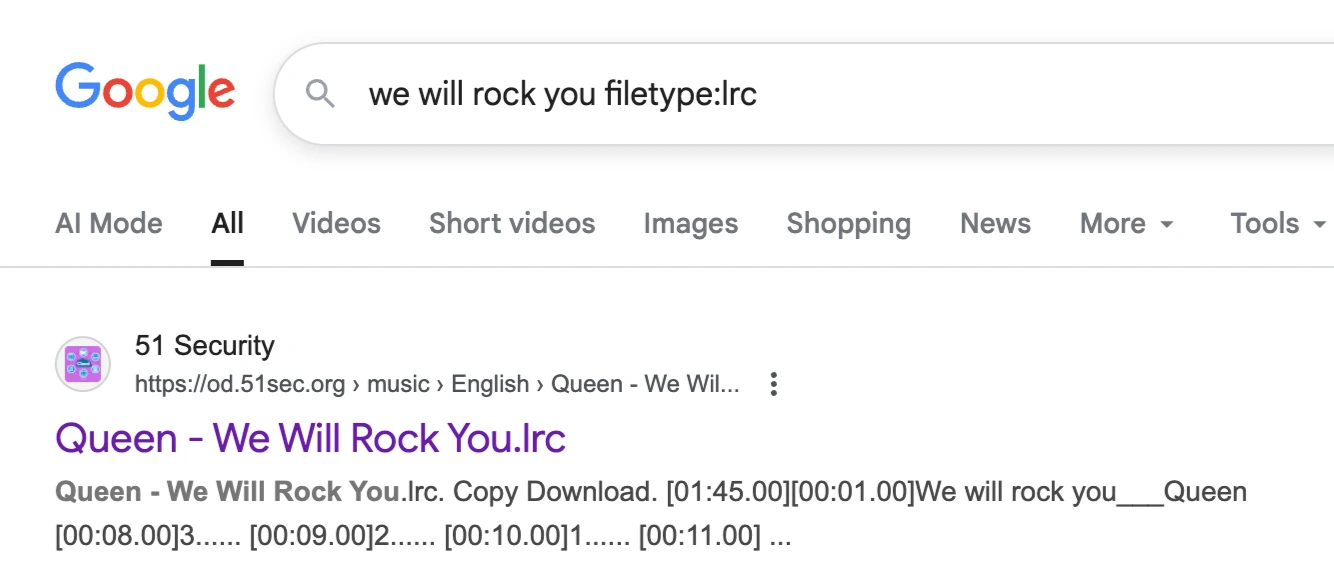
This method works well for popular songs, but has some drawbacks. Results are limited to files that are publicly indexed by Google, so older or less popular songs may not have any results. The quality and accuracy of timestamps also varies—some files may be poorly timed or have incorrect lyrics, and they may be hosted on unreliable sites.
If you can't find what you need through Google, try the next method.
Download from LRCLib
LRCLib is a free, community-driven lyrics database. Simply search for a song by title or artist, and download the matching LRC file directly from your browser.
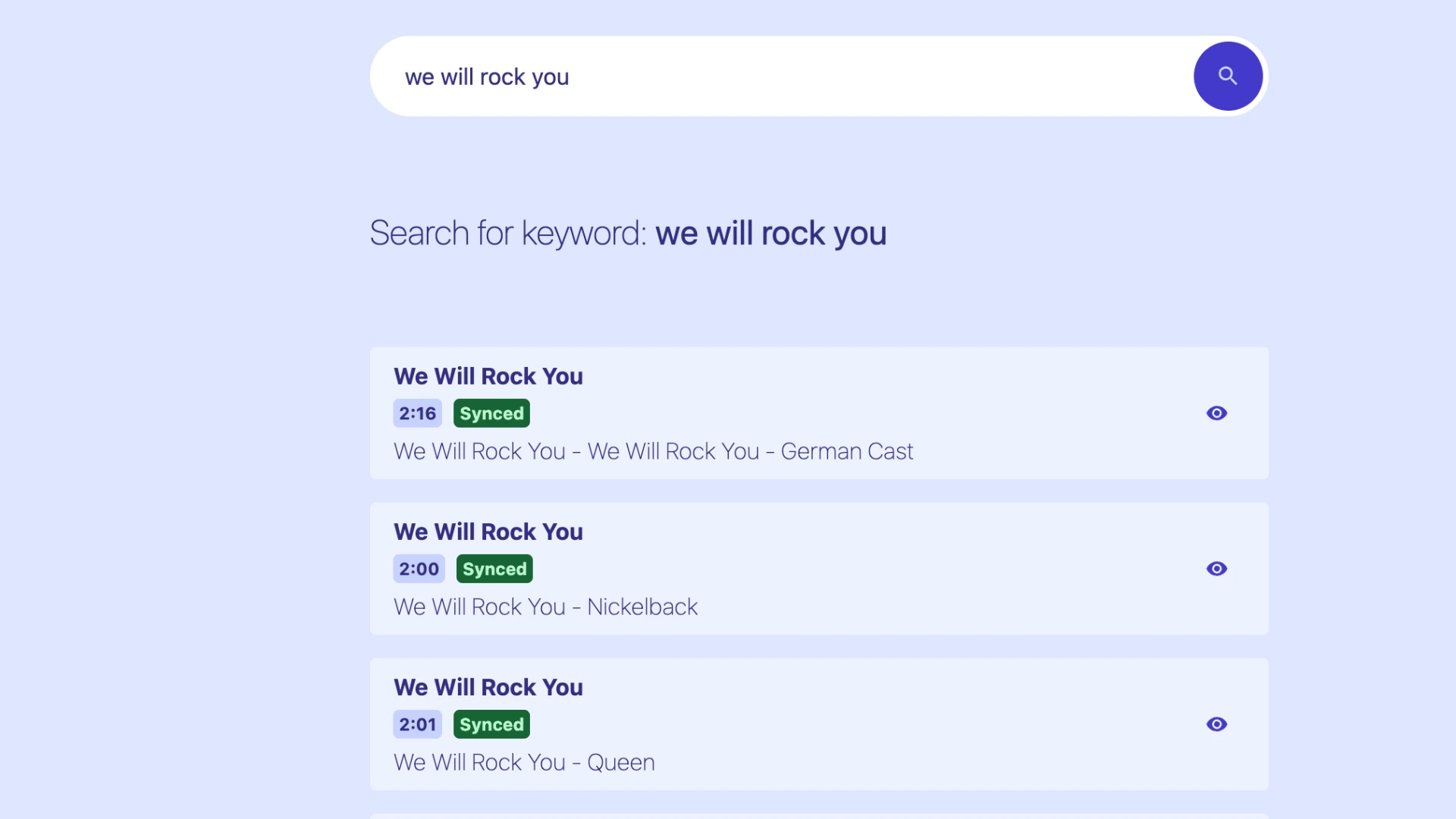
LRCLib is a great option for finding synced lyrics in bulk. However, since it relies on community contributions, coverage is not complete—newer, niche, or regional songs may not have entries yet.
Another issue is that the same song can have multiple versions with different durations (radio edit, album version, live recording, etc.), so the timestamps from a downloaded LRC file may not match your specific audio file even if the song title is the same.
Create and download your own LRC file
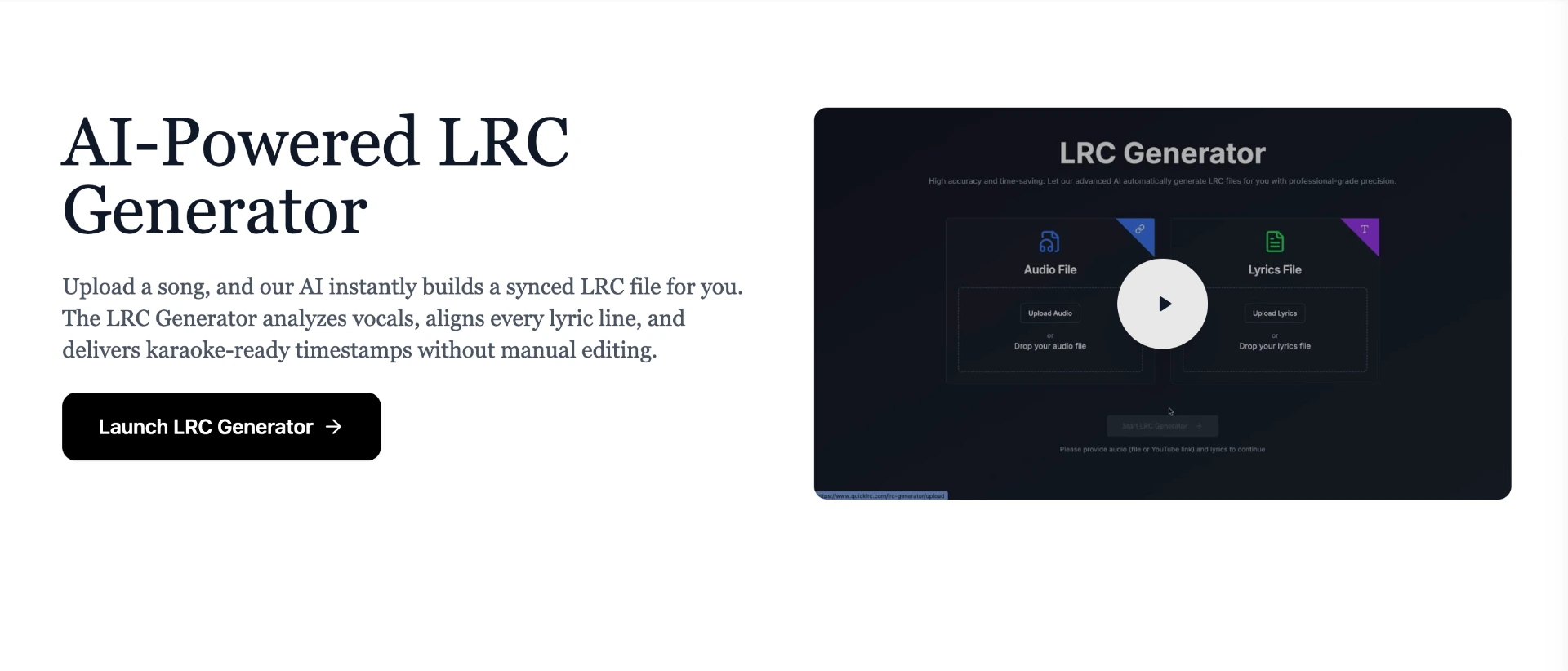
If you can't find an LRC file that matches your audio, or the timestamps are off because of a different version, the most reliable option is to generate one yourself. QuickLRC AI LRC Generator analyzes your actual audio file and aligns each line of lyrics to it directly, so the timestamps are always accurate for your specific version of the song.
Step 1: Go to QuickLRC AI LRC Generator
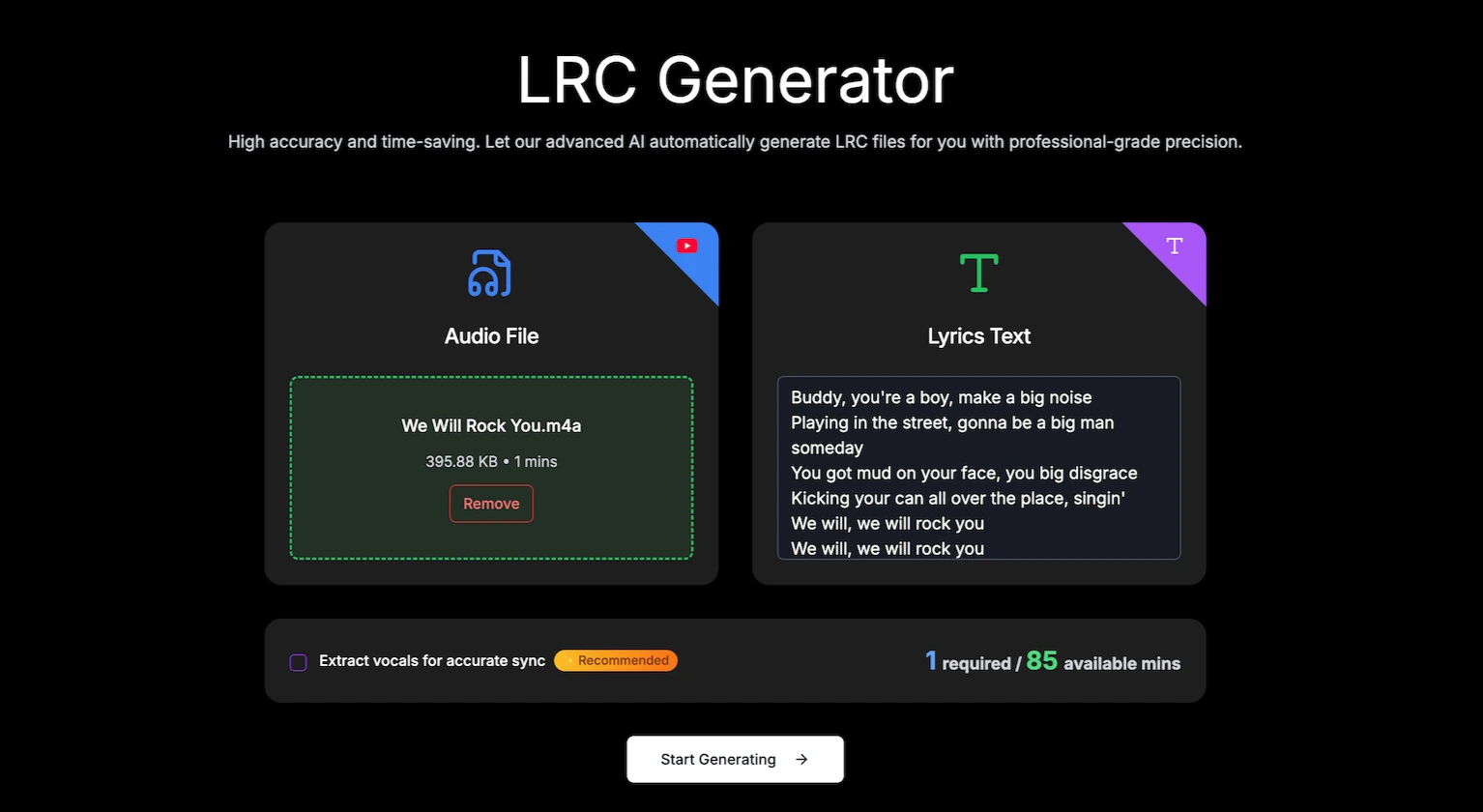
Step 2: Upload your song file, paste the lyrics text, and click "Start Generating". Wait around 30 seconds for the AI to process
Step 3: Preview the synced lyrics with the timestamps
Most of the time you won't need any changes, but the live preview in the LRC Editor ensures every timestamp matches your audio correctly.
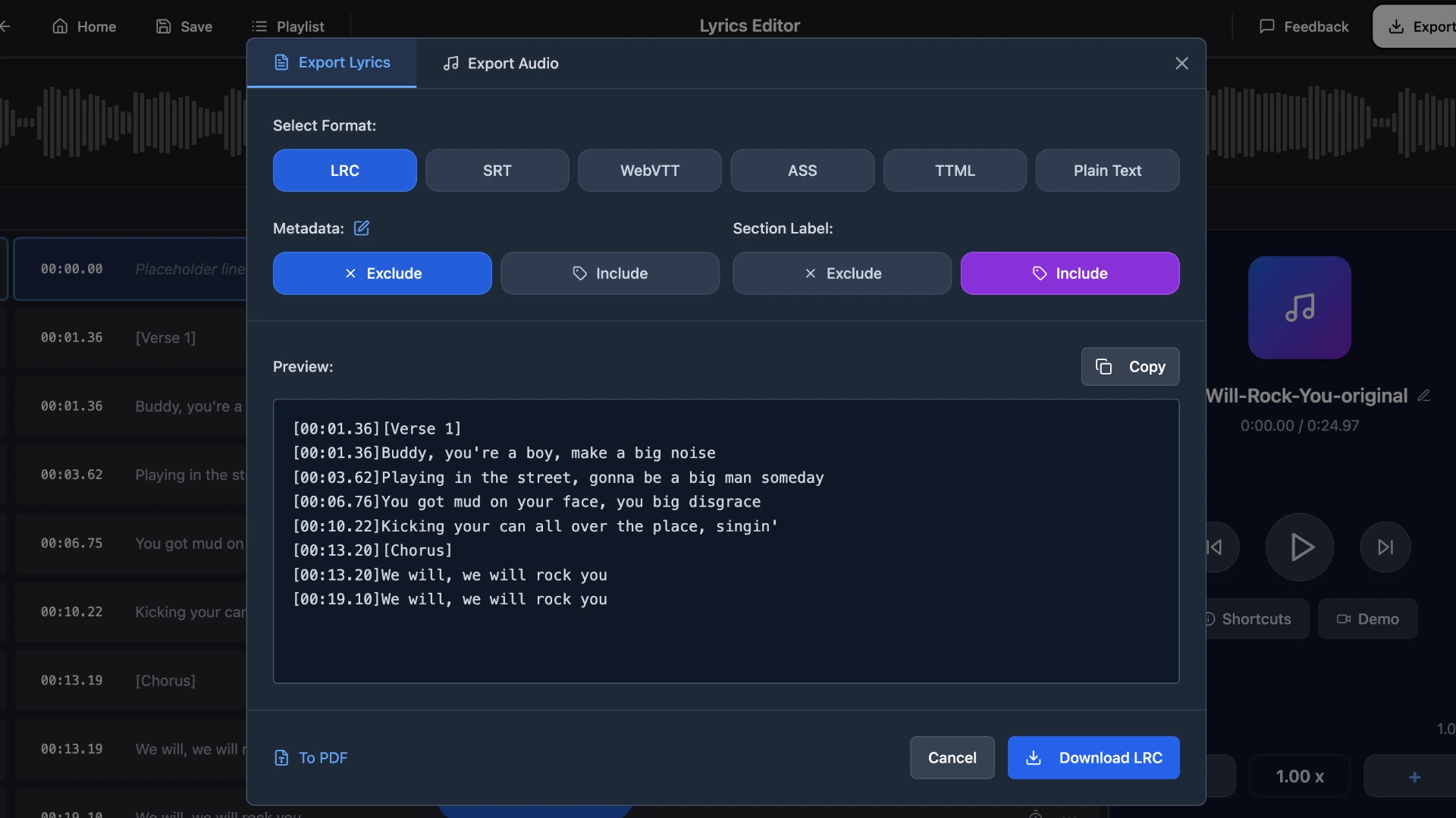
Step 4: Download the .lrc file
Once you're happy with the sync, click the export button to download your LRC file. You can also download in other formats like SRT, VTT, ASS, or TTML.
This method works for any song in any language—as long as you have the audio file and lyrics text, you can generate and download a perfectly synced LRC file.
How to use a downloaded LRC file
For synced lyrics to appear in your music player, the LRC file must have the exact same name as the audio file and be placed in the same folder:
Audio file: Bohemian_Rhapsody.mp3
LRC file: Bohemian_Rhapsody.lrc
If the names differ even slightly (extra spaces, different capitalization, or added words), the player won't link them together. Most players like AIMP, foobar2000, MusicBee, and Poweramp will automatically detect and display the lyrics once the files are matched.
Frequently asked questions
Are downloaded LRC files accurate?
Accuracy varies by source. Community-contributed files may have timing errors or incorrect lyrics. For guaranteed accuracy, generate your own LRC file with QuickLRC's AI tools and verify with the live preview.
What music players support LRC files?
Most popular music players support LRC files, including AIMP, foobar2000, MusicBee, Poweramp, and VLC. Streaming apps like Apple Music and Spotify use their own synced lyrics systems and don't support external LRC files.
Can I download LRC files for songs in other languages?
Availability depends on the source. Google and LRCLib have LRC files in many languages, but coverage for non-English songs is more limited. QuickLRC's AI LRC Generator supports multiple languages, so you can always create your own.
What is the filetype:lrc Google search trick?
Adding filetype:lrc to any Google search filters results to only show direct links to .lrc files. For example, searching we will rock you filetype:lrc returns downloadable LRC files for that song.
Conclusion
There are three reliable ways to get synced lyrics for your music: searching Google with filetype:lrc for quick finds, using LRCLib to download from a community database, or generating your own with QuickLRC's AI LRC Generator when no file exists. For popular songs, Google and LRCLib often have what you need. For everything else, QuickLRC lets you create accurate LRC files from any audio in seconds.
Found this helpful? Share it with others!
Newsletter