How to Extract Lyrics from a Song
Want to pull the lyrics out of a song automatically? Whether you have an MP3, WAV, FLAC, or other audio file, this guide shows you how to extract lyrics with synced timestamps using AI transcription.

 Westin Tanley
Feb 4, 2026 · 3 min
Westin Tanley
Feb 4, 2026 · 3 min
Why extract lyrics from audio
Sometimes you hear a song and want to know the exact words, but lyrics sites don't have it, or the lyrics they show don't match your version. Maybe it's an indie track, a live recording, a remix, or a song in another language that isn't well-documented online.
AI lyrics extraction solves this by listening to the audio itself. Instead of searching the internet for lyrics that might be wrong or incomplete, you get the actual words from the recording with synced timestamps. The result is an LRC file you can use with music players like AIMP, foobar2000, MusicBee, or Poweramp to display lyrics in real-time as the song plays.
How to extract lyrics from a song step by step
With QuickLRC Lyrics Extractor, you can extract lyrics from any audio file. Upload your song and let the AI do the transcription.
Step 1: Upload your audio file
Go to QuickLRC Lyrics Extractor and upload your audio file. Supported formats include MP3, WAV, FLAC, M4A, and OGG.
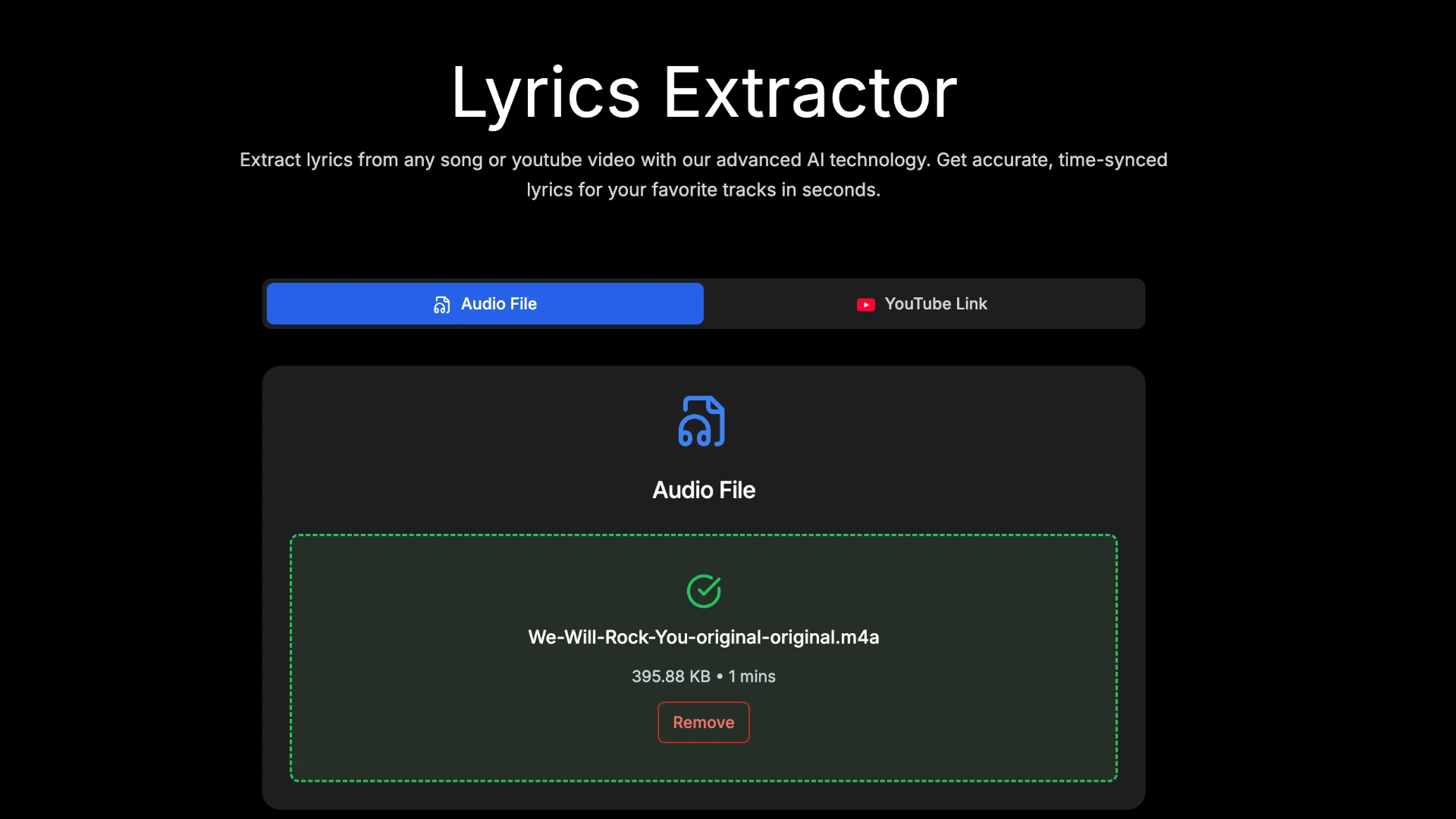
- Tip: If the background music is loud or noisy, check the "Extract vocals" option for better accuracy.
Step 2: AI processing
Click "Start Extracting" and wait for the AI to process. The AI will automatically transcribe the vocals and generate synced timestamps for each line.
Step 3: Live preview
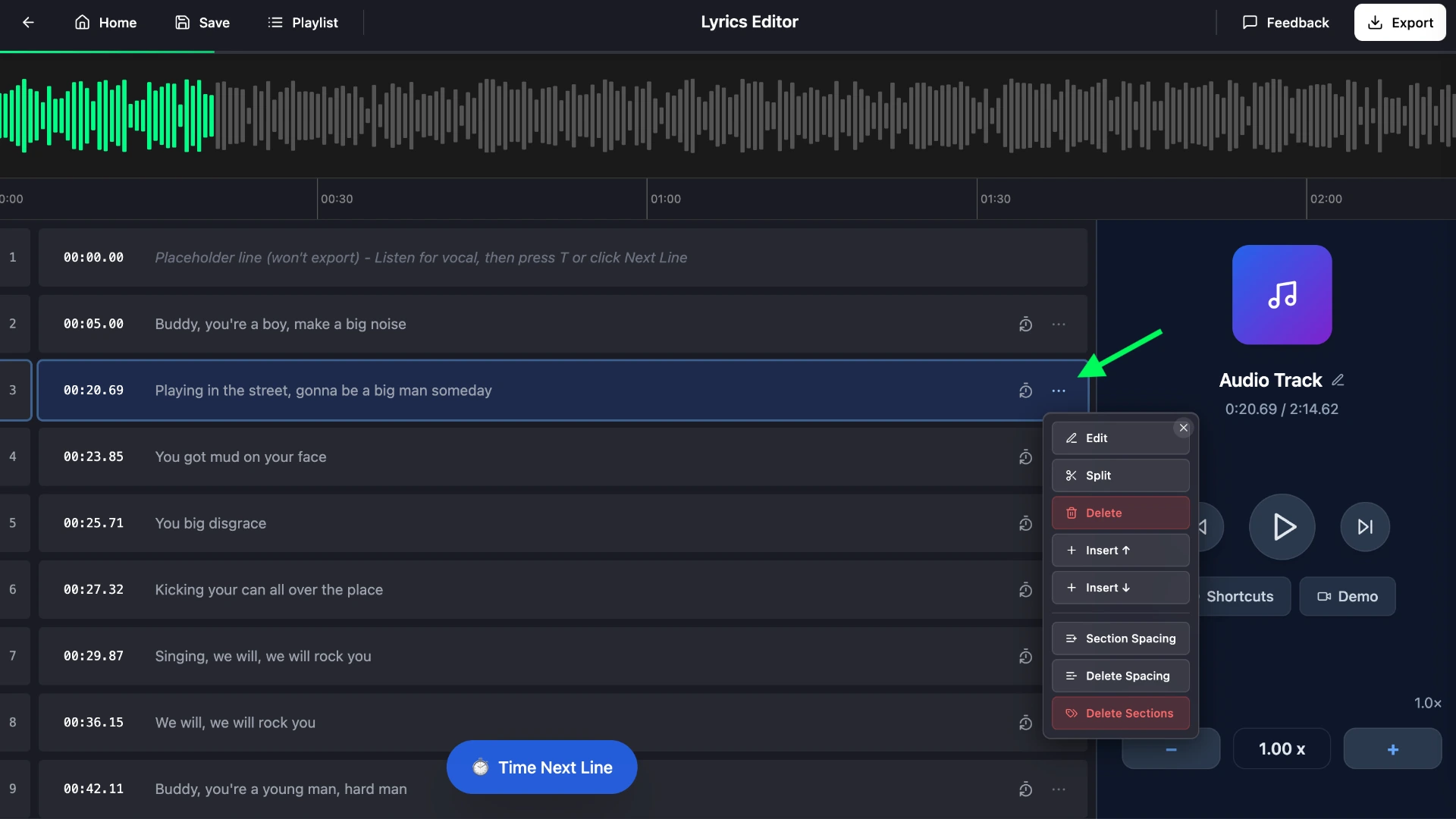
Preview the generated lyrics in the editor. Play the audio to verify the sync and make any adjustments if needed.
While AI transcription is highly accurate, you may occasionally need to fix missing words or split long sentences. The editor makes this easy:
- Double-click any lyrics line to edit the text
- Double-click the timestamp to adjust the timing
- Use the floating toolbar to edit, delete, or split lyrics (splitting creates a new line without a timestamp—click "Time Next Line" when you hear the vocal to mark it)
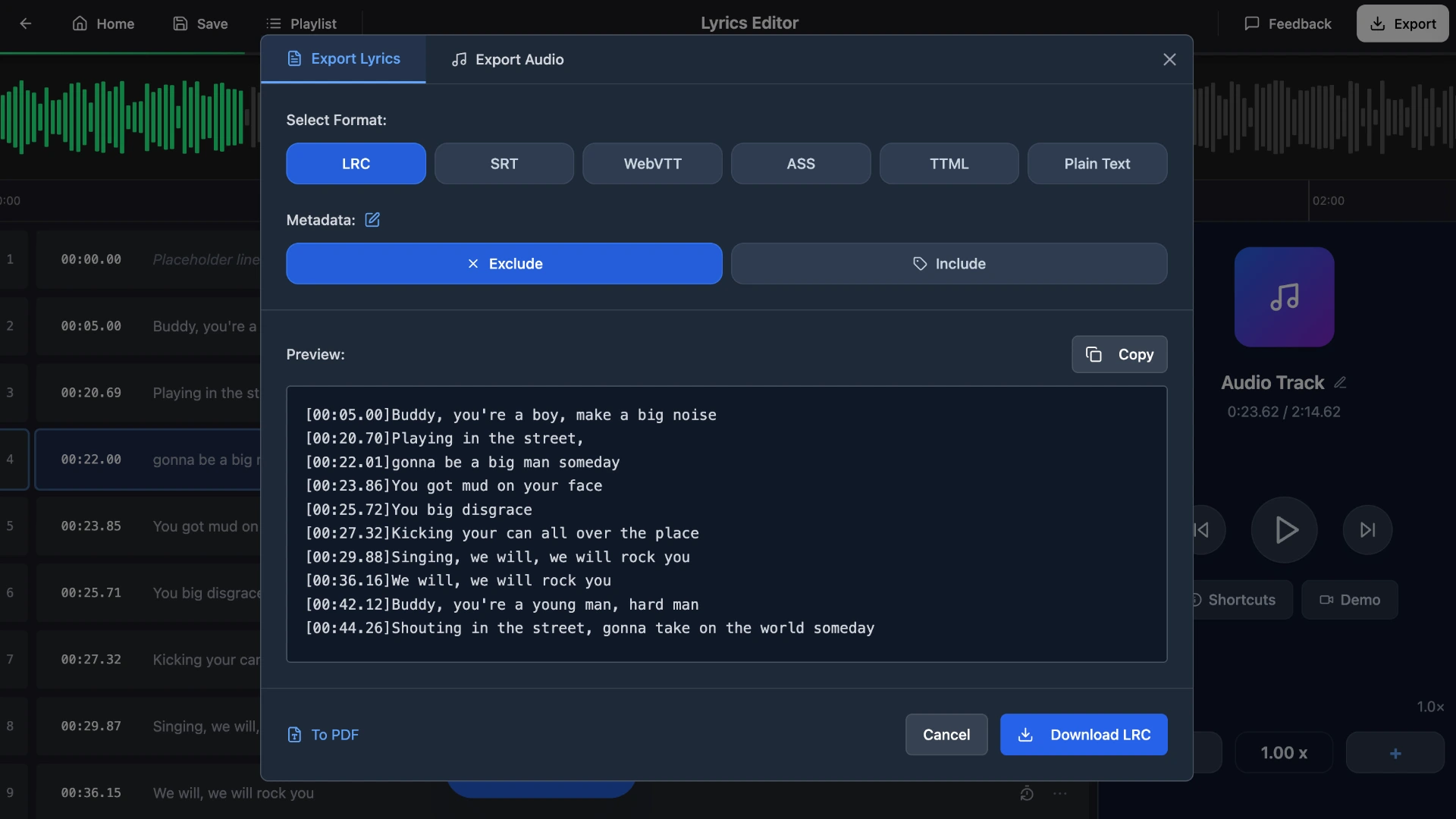
Step 4: Download your extracted lyrics
Click the export button in the top right corner to download your extracted lyrics in LRC, SRT, plain text, or any other formats we provide.
Frequently asked questions
What audio formats are supported?
QuickLRC supports MP3, WAV, FLAC, M4A, OGG, and other common audio formats. You can also paste a YouTube URL instead of uploading a file.
How long does it take to extract lyrics?
For a typical 3-4 minute song, the AI processes and generates synced lyrics in about 30-60 seconds. Longer songs may take a bit more time.
Can I extract lyrics in languages other than English?
Yes, the AI supports multiple languages including Spanish, French, German, Japanese, Korean, and many more. Accuracy may vary depending on the language and audio clarity.
How accurate is AI transcription for song lyrics?
AI transcription works well for clear vocals with accuracy of 95%+. For songs with heavy instrumentation, background vocals, or unclear pronunciation, you may need to make manual adjustments in the editor.
Do I need to know the lyrics beforehand?
No. The Lyrics Extractor uses AI to transcribe the vocals directly from the audio, so you don't need to provide lyrics text. If you already have the lyrics and just need synced timestamps, use the LRC Generator instead.
Conclusion
Extracting lyrics from a song is straightforward with AI transcription. Upload your audio file to QuickLRC Lyrics Extractor, let the AI transcribe the vocals and generate timestamps, then export the result as an LRC file or any other format. It works with any audio format and any language—no need to search the internet for lyrics that might be inaccurate or unavailable.
Found this helpful? Share it with others!
Newsletter