Enhanced LRC File: Complete Guide to Karaoke Lyrics Format
Enhanced LRC takes synchronized lyrics to the next level with word-by-word timing, making it perfect for karaoke applications and professional lyric displays. This guide covers everything you need to know about the Enhanced LRC format.

 Westin Tanley
Jan 28, 2026 · 8 min
Westin Tanley
Jan 28, 2026 · 8 min
What is Enhanced LRC
Enhanced LRC (also known as Enhanced LRC format or Karaoke Lyrics Format) is an advanced version of the standard LRC file format that includes word-level timestamps instead of just line-level timestamps. This allows each word to be highlighted individually as it's sung, creating the classic karaoke "bouncing ball" effect.
A typical Enhanced LRC file looks like this:
[00:12.30] <00:12.30> Hello <00:12.80> from <00:13.10> the <00:13.40> other <00:13.90> side
[00:17.20] <00:17.20> I <00:17.50> must <00:17.90> have <00:18.20> called <00:18.60> a <00:18.80> thousand <00:19.40> times
Each word has its own timestamp enclosed in angle brackets < >, telling the player exactly when to highlight that specific word.
Enhanced LRC vs Standard LRC
Standard LRC format provides line-by-line synchronization. The entire line appears or highlights at once when its timestamp is reached. Check out this article to learn how to create standard LRC files.
[00:12.30] Hello from the other side
[00:17.20] I must have called a thousand times
This works well for basic lyric displays where you just need to show which line is currently being sung.
Enhanced LRC format (Karaoke Lyrics Format) adds word-level timing within each line. The line timestamp comes first, followed by individual word timestamps.
[00:12.30] <00:12.30> Hello <00:12.80> from <00:13.10> the <00:13.40> other <00:13.90> side
This format enables smooth word-by-word highlighting, perfect for sing-along experiences.
Key differences at a glance:
- Sync level — Line-by-line → Word-by-word
- Karaoke effect — No → Yes
- File complexity — Simple → More detailed
- Creation time — Faster → Quick with AI
- Best for — Music players → Karaoke apps
Why use Enhanced LRC for karaoke
Enhanced LRC is the preferred format for karaoke applications because it provides:
- Precise word highlighting - Each word lights up exactly when it should be sung, helping singers stay on beat
- Professional appearance - The smooth word-by-word progression looks polished and engaging
- Better timing guidance - Singers can prepare for upcoming words by watching the highlight approach
- Universal compatibility - Many karaoke apps and players support the Enhanced LRC format
- Reusable format - Create once, use across multiple platforms and applications
Whether you're building a karaoke app, creating content for social media, or setting up a home karaoke system, Enhanced LRC delivers the timing precision you need.
How to create Enhanced LRC files
Creating Enhanced LRC files manually is extremely time-consuming since you need to mark the timestamp for every single word. Fortunately, AI-powered tools can automate this process.
Method 1: Using QuickLRC Word-Level Karaoke Sync
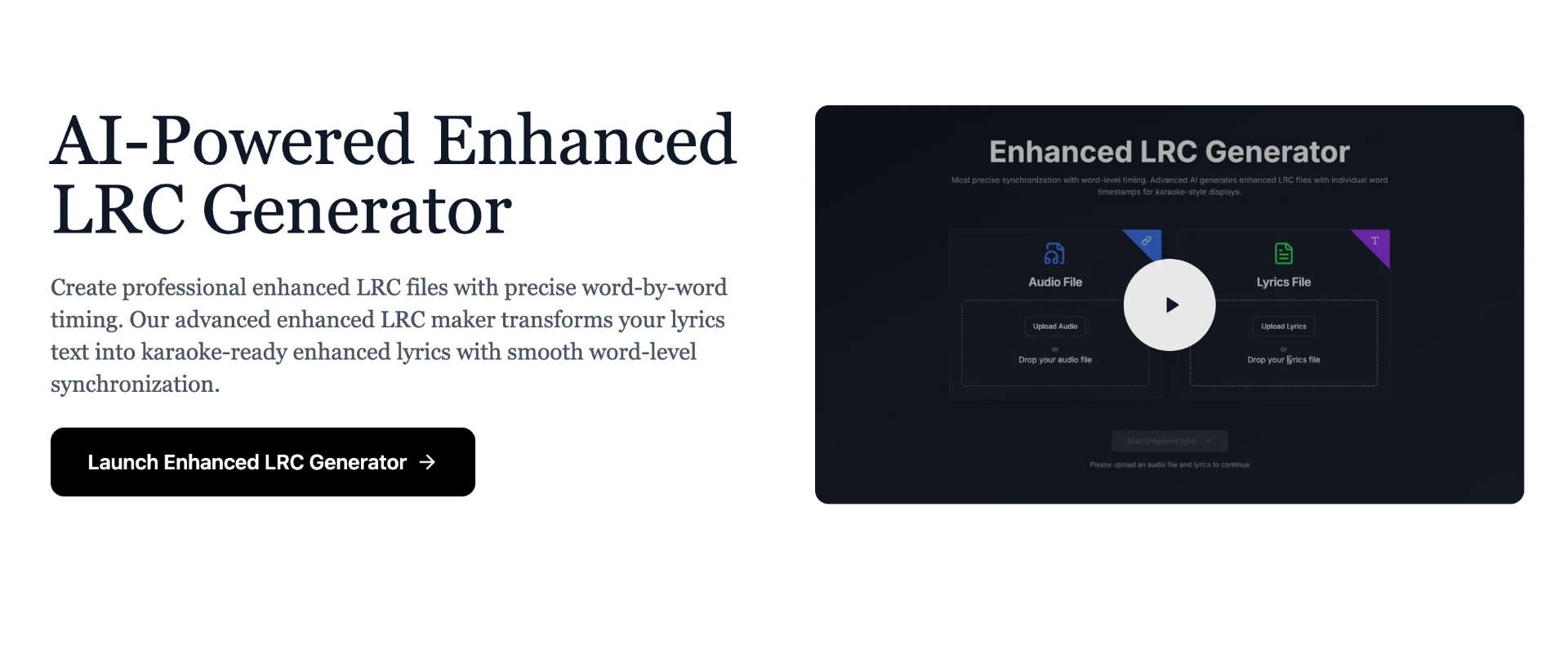
Step 1: Go to QuickLRC Word-Level Karaoke Sync
Step 2: Upload your audio file and paste the lyrics
- Make sure your lyrics are accurate - the AI will align each word to the audio.
- Use the 'Extract vocals' setting when the music background is loud.
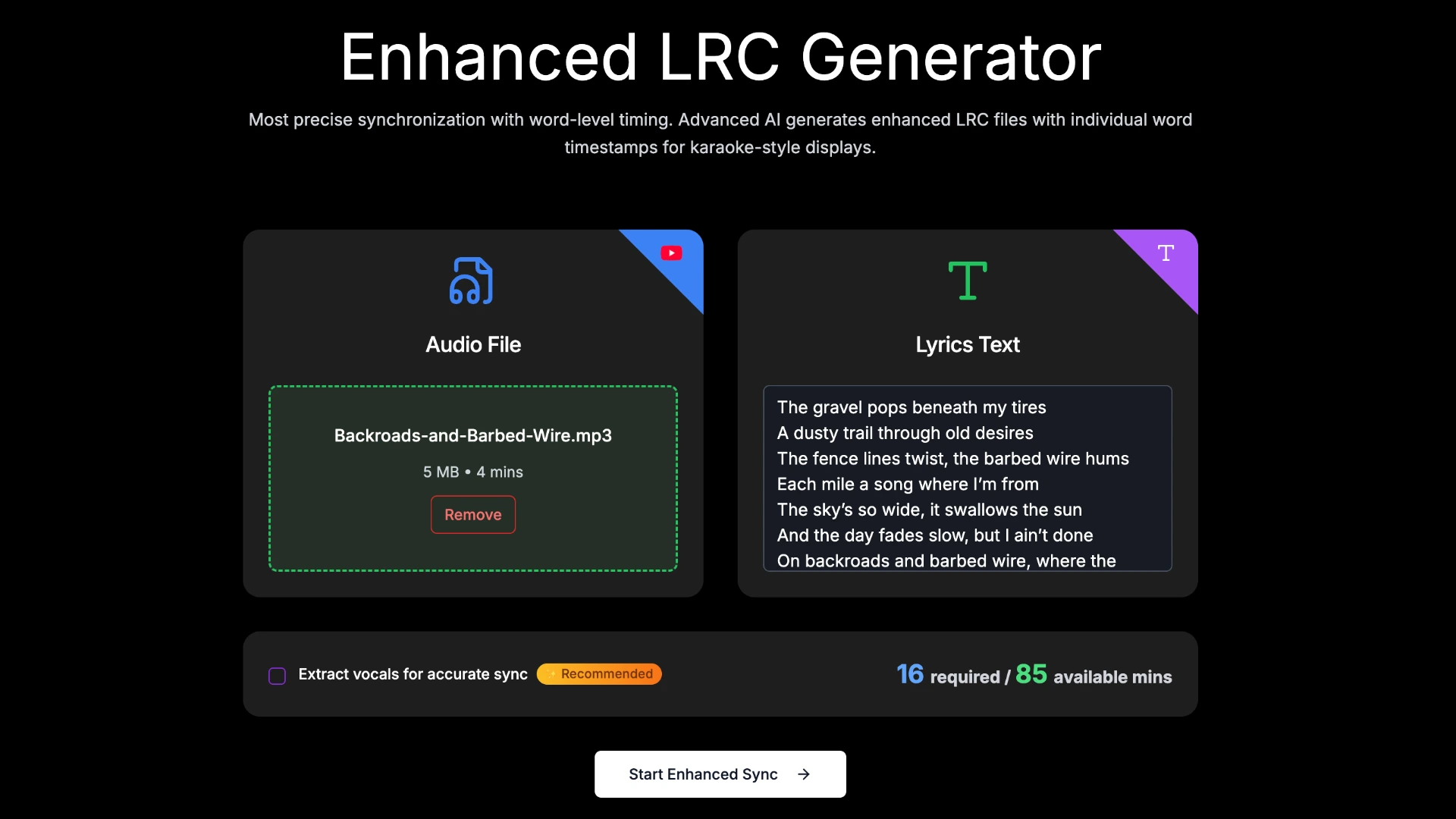
Step 3: Click "Start Enhanced Sync" and wait for processing
- The AI analyzes the audio and matches each word to its spoken moment. This typically takes 30-60 seconds.
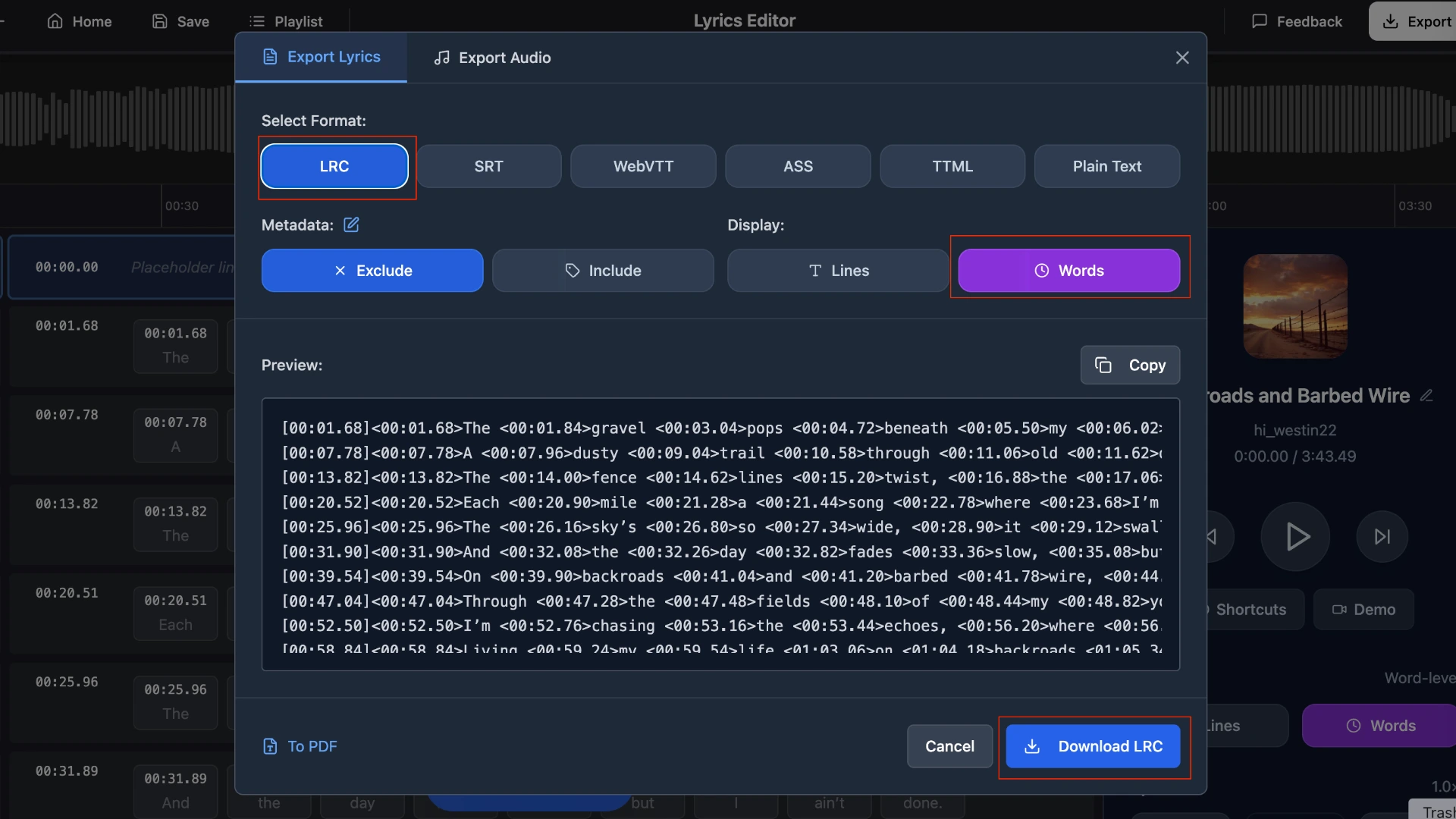
Step 4: Preview and export
- Review the word-level sync in the LRC Editor, make any adjustments if needed, then export your Enhanced LRC file. You can also export as standard LRC by selecting line-level mode.
Advantages
- Creates word-level timestamps automatically in under a minute.
- High accuracy with QuickLRC's powerful AI model.
Disadvantages
- May require minor manual adjustments for complex vocal arrangements.
Method 2: Manual word-level timing
We generally don't recommend creating word-level timestamps manually—it's extremely time-consuming and requires intense focus throughout the entire song. For a 3-minute track, you could spend 15-20 minutes tapping timestamps for every single word.
However, if you have a short clip or need frame-perfect accuracy for professional productions, here's how:
Step 1: Go to QuickLRC Manual LRC Maker
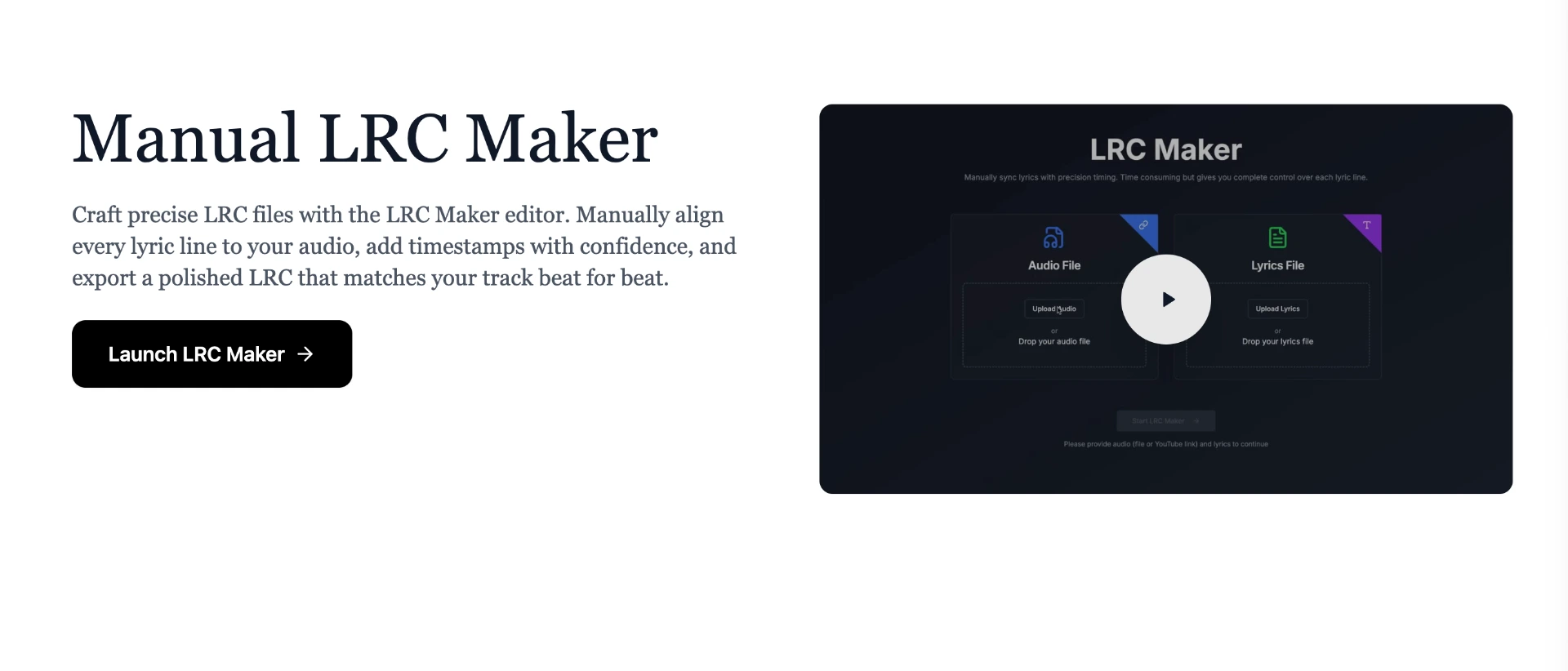
Step 2: Upload your audio and lyrics, then enable word-level timing mode
- Tip: Slow down the playback speed to 0.75x or 0.5x to make it easier to tap each word accurately.
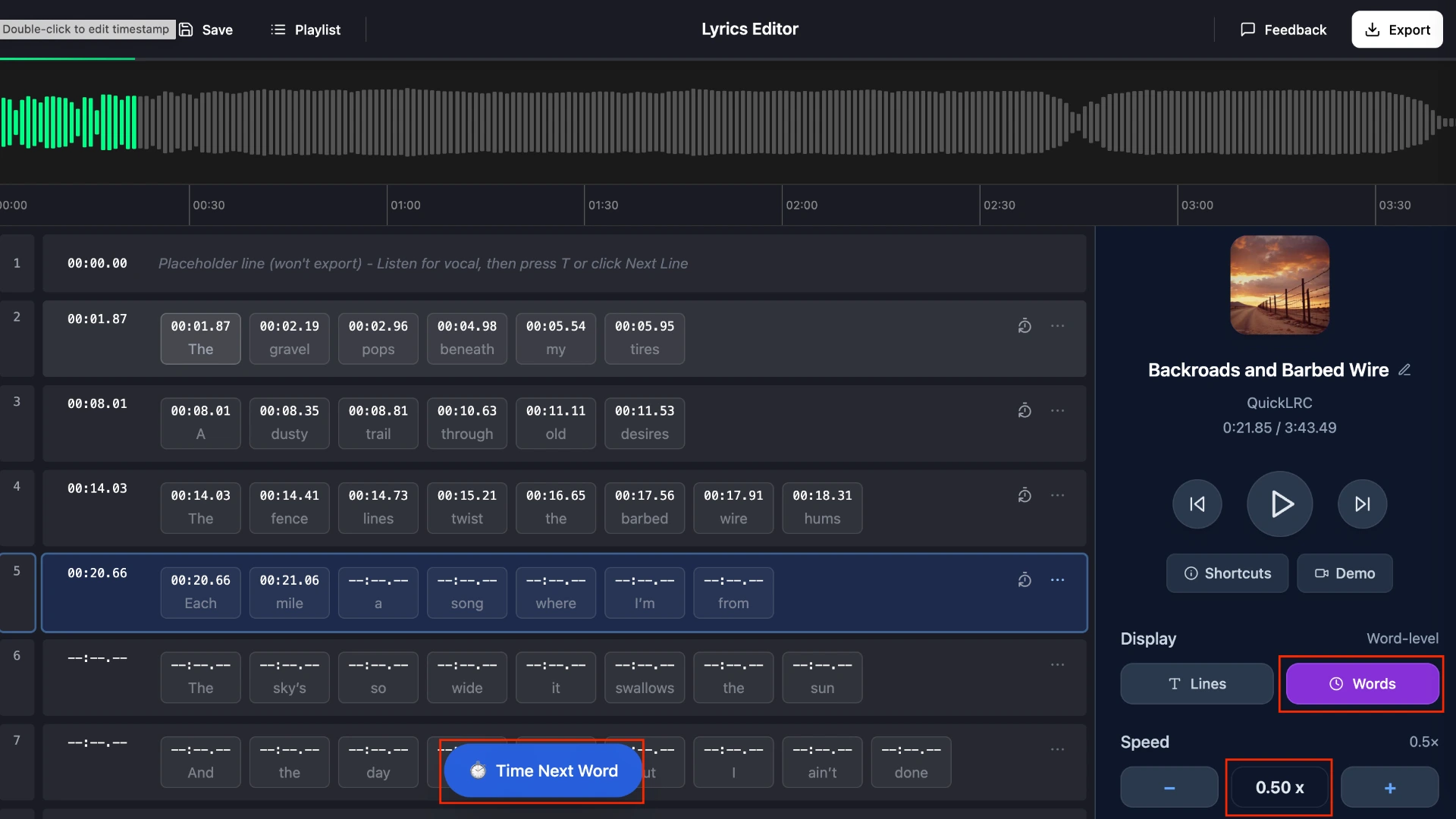
Step 3: Play the audio and tap "Time Next Word" for each word
- Tip: Use the "T" shortcut to efficiently mark each word's timing.
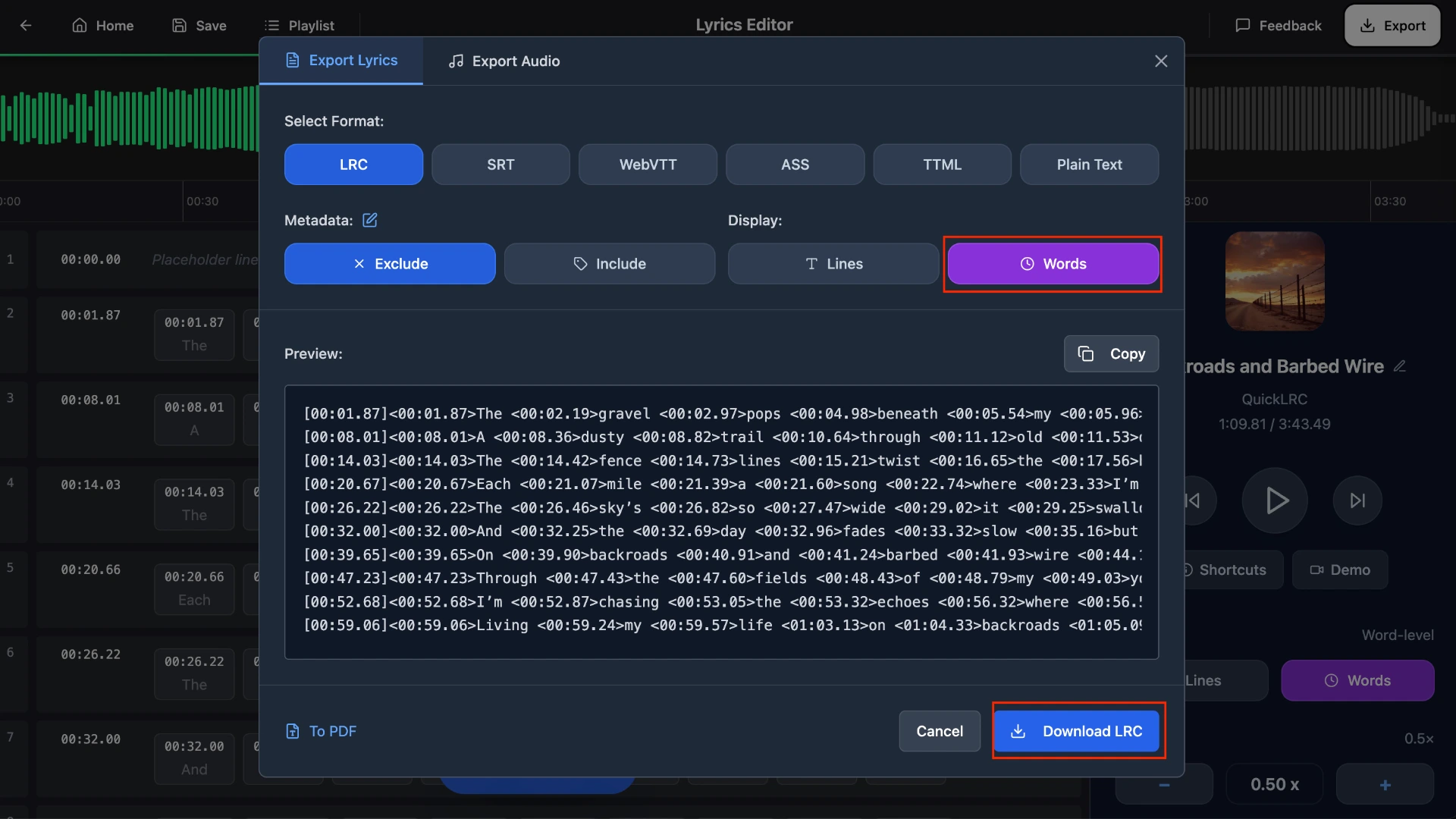
Step 4: Export as Enhanced LRC File
Integrations and tools
Ready to put your Enhanced LRC files to use? QuickLRC integrates with popular video editing platforms to help you create stunning karaoke videos:
- Karadeo - Professional karaoke video maker with customizable styles, effects, and templates designed specifically for Enhanced LRC files
- CapCut - Learn how to import your Enhanced LRC into CapCut for creating viral karaoke clips and lyrics videos for social media
- Kapwing - Use your Enhanced LRC with Kapwing's online video editor for quick karaoke video creation
Visit the Integrations section in the header menu to explore all available tools and step-by-step guides for each platform.
Frequently asked questions
What players support Enhanced LRC?
Most karaoke apps (KaraFun, Karaoke One) and music players like foobar2000, AIMP, and MusicBee support Enhanced LRC.
Can I convert standard LRC to Enhanced LRC?
Not directly. Use QuickLRC's AI generator to create Enhanced LRC from your audio and lyrics automatically.
Is Enhanced LRC the same as karaoke lyrics format?
Yes, the terms are used interchangeably since Enhanced LRC's word-level timing is designed for karaoke-style highlighting.
What's the file extension for Enhanced LRC?
Enhanced LRC uses the same .lrc extension as standard LRC—the difference is the word timestamps in angle brackets.
How accurate is AI-generated Enhanced LRC?
QuickLRC's AI achieves 95%+ accuracy on most songs with clear vocals.
Conclusion
Enhanced LRC is the go-to format for anyone serious about karaoke or professional lyric displays. While creating word-level timestamps manually would take hours, AI-powered tools like QuickLRC make it possible to generate accurate Enhanced LRC files in seconds. Whether you're building a karaoke app, creating content, or just want better sing-along experiences, Enhanced LRC delivers the precision timing that makes karaoke feel professional.
Found this helpful? Share it with others!
Newsletter