Music Subtitle Formats Guide
Music subtitles are timed text files that synchronize lyrics or captions with audio playback. Unlike video subtitles that primarily serve accessibility purposes, music subtitles enhance the listening experience by displaying lyrics in real-time as the song plays.
This guide covers the five most common music subtitle formats, their use cases, and how to generate them using AI.

 Westin Tanley
Feb 2, 2026 · 8 min
Westin Tanley
Feb 2, 2026 · 8 min
LRC (Lyrics)
LRC is the most popular format specifically designed for music lyrics synchronization. There are two variations: Simple LRC and Enhanced LRC.
Simple LRC uses line-level timestamps in the format [mm:ss.xx] followed by the lyrics text. Each line syncs as a whole unit.
[00:12.50]When the night has come
[00:15.80]And the land is dark
[00:19.20]And the moon is the only light we'll see
Enhanced LRC adds word-level timestamps within each line, enabling karaoke-style highlighting where individual words light up as they're sung. Learn more in our Enhanced LRC Complete Guide.
[00:12.50]<00:12.50>When <00:12.90>the <00:13.20>night <00:13.60>has <00:14.00>come
[00:15.80]<00:15.80>And <00:16.10>the <00:16.40>land <00:16.80>is <00:17.10>dark
LRC is widely supported by music players like AIMP, foobar2000, MusicBee, and Poweramp, and is also used by streaming services like Apple Music and Spotify for synchronized lyrics. Since LRC is a plain text format, you can open it with any text editor—or use our LRC Viewer to preview it online with audio.
SRT (SubRip)
SRT is the most widely supported subtitle format across video platforms. It uses numbered entries with start and end timestamps in HH:MM:SS,mmm format.
1
00:00:12,500 --> 00:00:15,800
When the night has come

2
00:00:15,800 --> 00:00:19,200
And the land is dark
SRT is the go-to format for YouTube uploads, video editing software like Premiere Pro, Final Cut, and DaVinci Resolve, as well as media players like VLC. Since SRT is a plain text format, you can open it with any text editor—or use our SRT Viewer to preview it online with audio.
WebVTT (Web Video Text Tracks)
WebVTT is the web standard for displaying timed text in HTML5 video and audio elements. It's similar to SRT but uses periods instead of commas for milliseconds and supports styling.
WEBVTT

00:00:12.500 --> 00:00:15.800
When the night has come

00:00:15.800 --> 00:00:19.200
And the land is dark
WebVTT is the standard for web-based music players, HTML5 audio/video elements, and streaming platforms. Since WebVTT is a plain text format, you can open it with any text editor—or use our VTT Viewer to preview it online with audio.
ASS/SSA (Advanced SubStation Alpha)
ASS is a powerful format that supports advanced styling, positioning, fonts, colors, and animation effects. It's commonly used in anime subtitles and karaoke videos.
[Script Info]
Title: Song Lyrics

[V4+ Styles]
Format: Name, Fontname, Fontsize, PrimaryColour
Style: Default,Arial,20,&H00FFFFFF

[Events]
Format: Layer, Start, End, Style, Text
Dialogue: 0,0:00:12.50,0:00:15.80,Default,When the night has come
ASS is popular for karaoke with visual effects, anime music videos, and stylized lyric videos where advanced formatting is needed. Since ASS is a plain text format, you can open it with any text editor—or use our ASS Viewer to preview it online with audio.
TTML (Timed Text Markup Language)
TTML is an XML-based format used by broadcast and streaming services. It's the most complex format but offers the highest level of control and compatibility with professional workflows.
<?xml version="1.0" encoding="UTF-8"?>
<tt xmlns="http://www.w3.org/ns/ttml">
  <body>
    <div>
      <p begin="00:00:12.500" end="00:00:15.800">When the night has come</p>
      <p begin="00:00:15.800" end="00:00:19.200">And the land is dark</p>
    </div>
  </body>
</tt>
TTML is used by Netflix, Amazon Prime, broadcast television, and professional media distribution where regulatory compliance is required. Since TTML is an XML-based text format, you can open it with any text editor—or use our TTML Viewer to preview it online with audio.
How to Generate Music Subtitles
The easiest way to create music subtitles is using AI-powered tools that automatically transcribe and sync lyrics to your audio.
Step 1: Go to QuickLRC AI LRC Generator
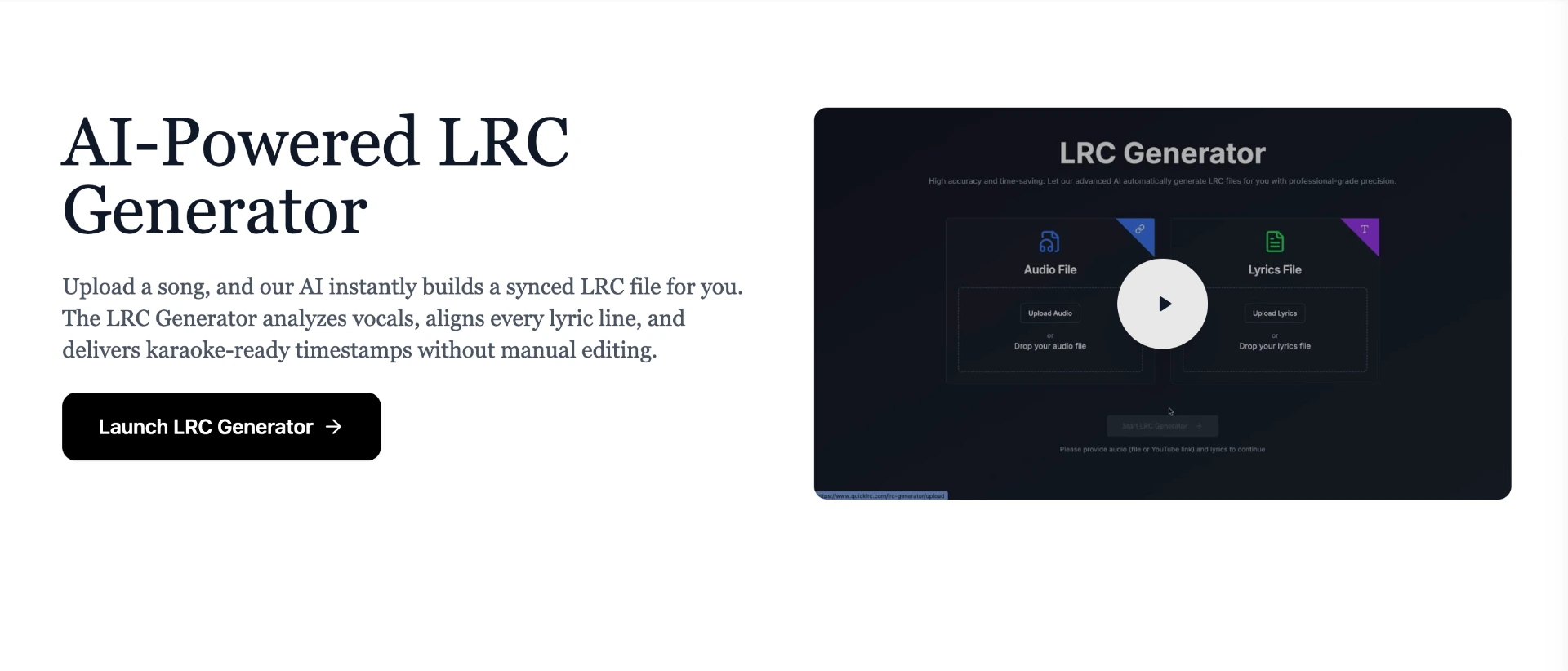
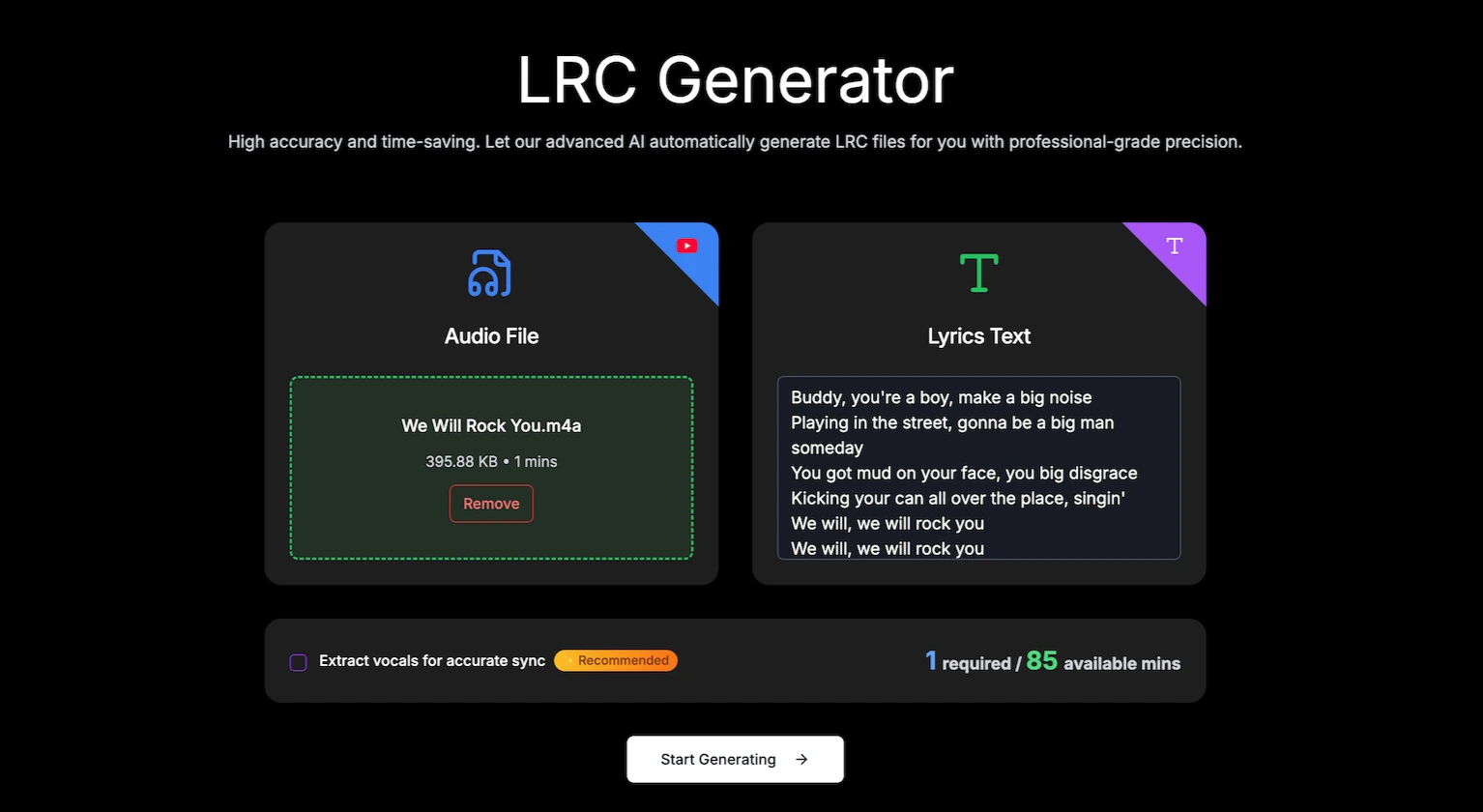
Step 2: Upload your song file, paste the lyrics text, and click "Start Generating". Wait around 30 seconds for the AI to process
Step 3: Preview the lyrics with the timestamps
Most of the time you won't need any changes, but the live preview in the LRC Editor ensures every timestamp is correct.
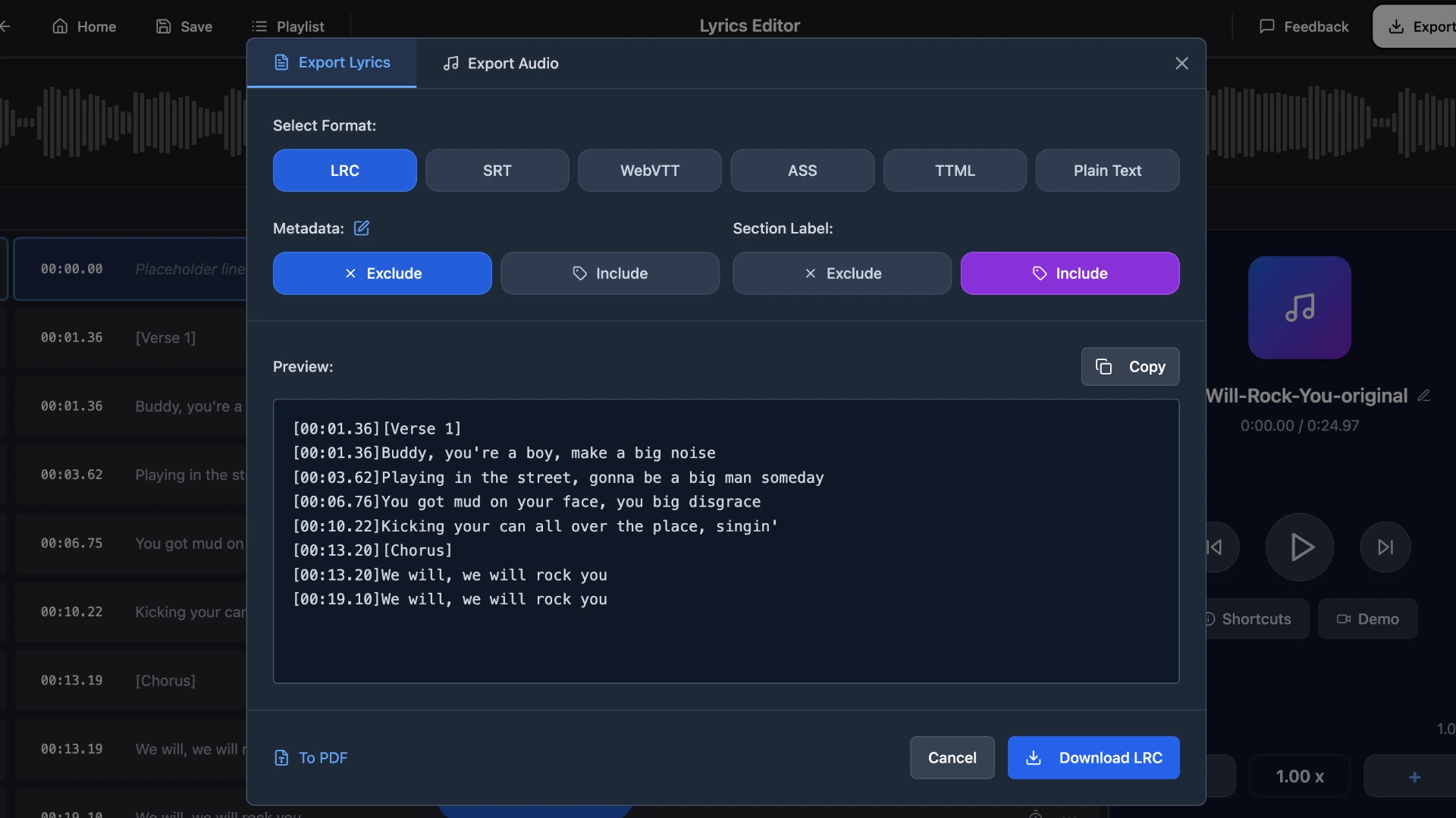
Step 4: Export your file
Once done, you can export your music subtitles in multiple formats—LRC, SRT, VTT, ASS, or TTML—depending on your needs.
Frequently Asked Questions
What is the best subtitle format for music?
LRC is the best format for music players and karaoke. For video platforms like YouTube, use SRT. For web applications, use WebVTT.
Can I convert between subtitle formats?
Yes, you can easily convert LRC files to SRT, WebVTT, ASS, or TTML using QuickLRC's free online converters.
What's the difference between LRC and SRT?
LRC is designed for music with simple timestamps, while SRT is designed for video with start and end times for each caption. LRC works with music players; SRT works with video players.
Can I add styling to my subtitles?
ASS and TTML support advanced styling like fonts, colors, and positioning. LRC, SRT, and WebVTT are primarily plain text formats with limited or no styling options.
Conclusion
The right music subtitle format depends on your use case and software compatibility. LRC works best for music players and karaoke, SRT for video platforms, WebVTT for web-based players, and ASS or TTML for professional productions. Since not all software supports every format, you may need to convert between them—which is exactly why QuickLRC lets you export in multiple formats and create music subtitles in seconds with AI.
Found this helpful? Share it with others!
Newsletter