How to Add Lyrics to FLAC Files
FLAC is a lossless audio format popular with audiophiles and music collectors, but most local FLAC files ship without lyrics. Adding lyrics to FLAC files means your music player can display synchronized lyrics during playback — no internet connection required, no separate files to keep track of.

 Westin Tanley
Mar 19, 2026 · 4 min
Westin Tanley
Mar 19, 2026 · 4 min
How FLAC stores lyrics
MP3 files store metadata in ID3 tags. FLAC works differently — it uses Vorbis comments, a simple key-value metadata format that is part of the FLAC container. Lyrics are stored in a field called LYRICS.
If the value of that field is plain text, music players display the full lyrics as a static block. If the value is an LRC file with timestamps, players that understand the format will scroll the lyrics line by line as the song plays.
LYRICS=[00:12.00] First line of the song
[00:15.50] Second line of the song
...
Most popular FLAC-aware players — including foobar2000, Poweramp, and MusicBee — read the LYRICS Vorbis comment and display lyrics during playback.
Embedded lyrics vs LRC file
You have two options for getting lyrics to display alongside your FLAC files.
Embedded Lyrics
- Lyrics travel with the file — never get separated
- Works with any player that reads Vorbis comments
- Editing requires a tag editor or re-embedding
LRC File
- Easy to edit — it's just a text file
- Widely supported across players
- Must stay in the same folder with the same filename
For a permanent, portable solution, embedding is the better choice. If you want something you can quickly edit or share, an LRC file works well.
How to add lyrics to FLAC with embedded lyrics
QuickLRC Embed Lyrics into FLAC handles the embedding in your browser — no software to install. Upload your FLAC file, paste your lyrics, and download the result.
Step 1: Open the tool and upload your FLAC file. Go to QuickLRC Embed Lyrics into FLAC and upload the FLAC file you want to add lyrics to. The tool reads any existing lyrics already stored in the file.
Step 2: Paste your lyrics. Paste your lyrics in the text field. The tool accepts two formats:
- Plain text — lyrics without timestamps, embedded as unsynced text. Players show the full lyrics as a static block.
- LRC format — lyrics with
[mm:ss.xx]timestamps. Players that support synced Vorbis lyrics will scroll line by line.
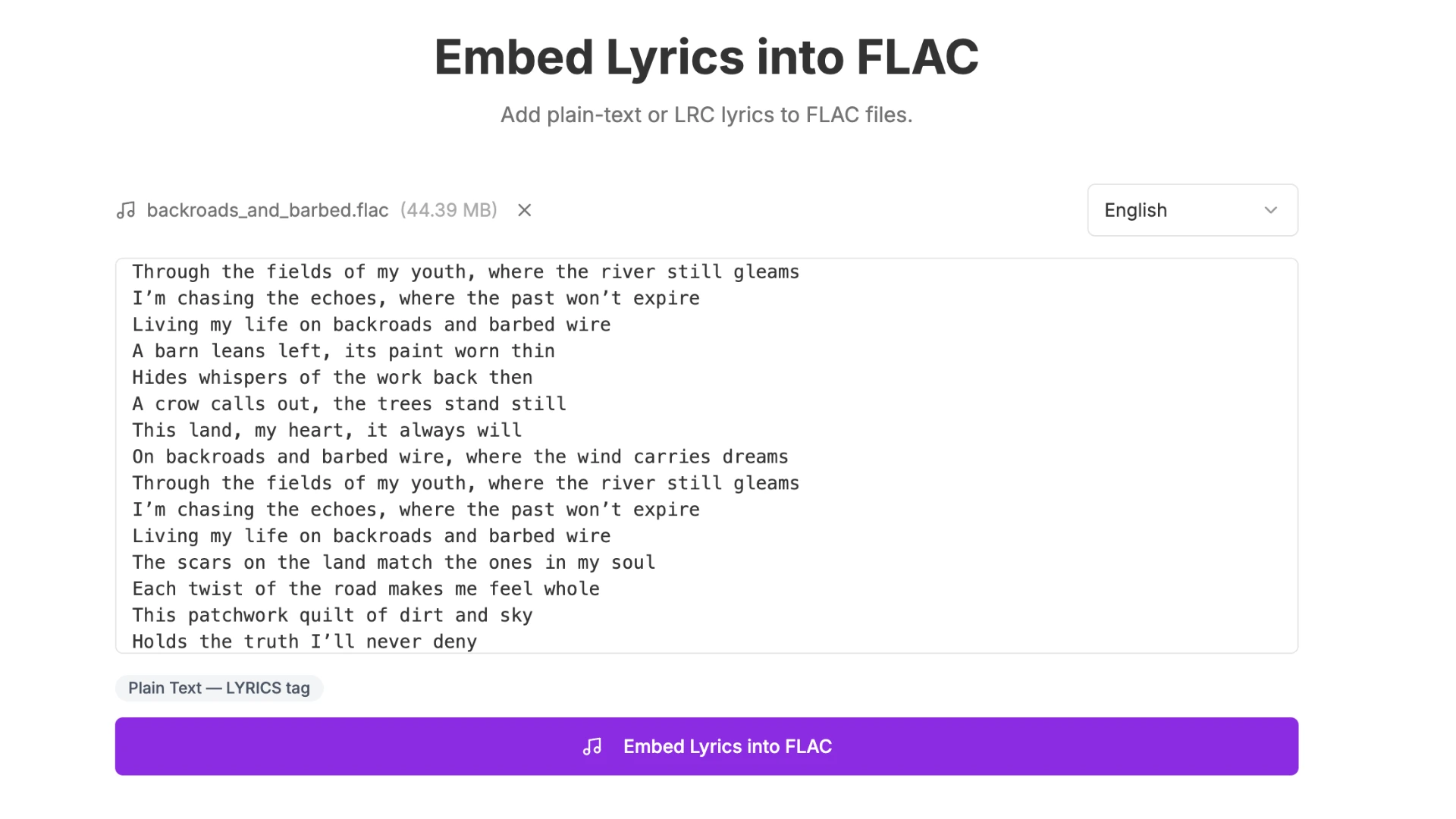
If you have plain text lyrics and want them synced, you can generate an LRC file first using the AI LRC Generator.
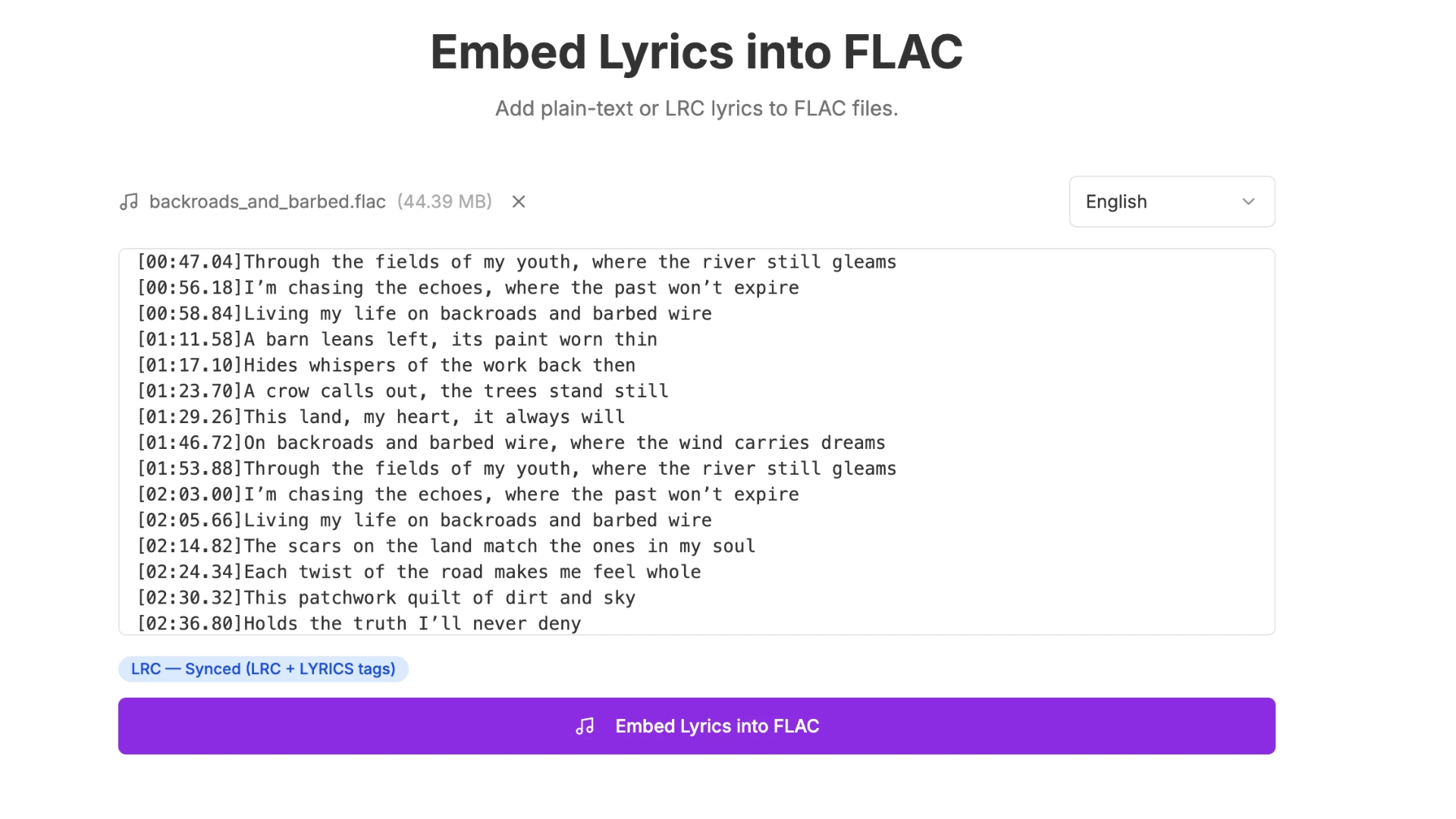
Step 3: Choose the language and embed. Select the lyrics language from the dropdown — this helps players that support multi-language lyrics display the correct entry. Click Embed Lyrics into FLAC.
Step 4: Download and verify. Download the updated FLAC file. To confirm the lyrics were written correctly, you can use QuickLRC Extract Embedded Lyrics from FLAC, which reads back the Vorbis comment directly.
How to add lyrics to FLAC with LRC file
To use an LRC file with your FLAC, you first need to create one. You can generate synced lyrics from audio with the AI LRC Generator. For a full walkthrough, see our guide on what is an LRC file and how to create it.
Once you have your LRC file, place it in the same folder as your FLAC and make sure both files share the same name:
Music/
  Artist - Song Title.flac
  Artist - Song Title.lrc
Most music players — including AIMP, foobar2000, MusicBee, and Poweramp — will automatically detect the LRC file and display synced lyrics during playback.
Frequently asked questions
What is the difference between embedding lyrics in FLAC vs MP3?
MP3 uses ID3 tags (SYLT and USLT fields), while FLAC uses Vorbis comments (LYRICS field). The end result is the same — lyrics embedded directly in the file — but the underlying metadata format is different. Tools designed for MP3 tagging won't work on FLAC files.
Will embedding lyrics affect FLAC audio quality?
No. FLAC is lossless and lyrics are stored in a completely separate metadata section. The audio data is not touched in any way.
How do I check if lyrics were embedded correctly?
Use QuickLRC Extract Embedded Lyrics from FLAC to read back the LYRICS Vorbis comment from your file.
Which music players support lyrics in FLAC files?
foobar2000, MusicBee, AIMP, and Poweramp all support both plain text and synced lyrics from the FLAC LYRICS tag. VLC and Apple Music display plain text lyrics but do not scroll them in sync with playback.
Conclusion
Adding lyrics to FLAC files is straightforward once you know the format. FLAC uses Vorbis comments rather than ID3 tags, but the result is the same: lyrics stored inside the file, displayed in real time by any compatible player. Use QuickLRC Embed Lyrics into FLAC to embed them in your browser, or place an LRC file alongside your FLAC if you prefer a separate, editable file.
Found this helpful? Share it with others!
Newsletter